
Snowflake alternative · by WhoDB
Snowflake Alternative: A Different Way to Do Data Warehousing With WhoDB
Why teams look for a Snowflake alternative, the main options, and a way to warehouse your data that starts with what you already have.
A Snowflake alternative is any tool that does part or all of what Snowflake does, which is bring data together in the cloud and run analysis on it. WhoDB is a Snowflake alternative for data warehousing that starts where your data already lives. It connects your sources, builds datasets with visual transforms, models business meaning and traces lineage in one project.
What Is Snowflake?
Snowflake is a cloud data warehouse. A data warehouse is a central place that brings data from many systems together, so teams can run reports and analysis on it.
Many companies use it to combine sales, finance, product and customer data. It is popular, but it is not the only way to do data warehousing.
Why Teams Look for a Snowflake Alternative
Cost control
Cloud costs can grow with use, so teams look for more predictable options.
Keeping data in place
Some teams would rather work with data where it already lives.
Simpler set-up
A smaller team may not need a huge warehouse project.
Open-source or self-run
Some teams want to run the engine themselves.
Different workloads
Live dashboards and large reports can need different tools.
Fewer ties to one vendor
Teams want to keep their options open.
Snowflake Alternatives at a Glance
These are the usual suspects. Each suits different needs, so treat this as a starting point, not a ranking.
| Option | What it is | Often chosen for |
|---|---|---|
| Google BigQuery | A cloud data warehouse from Google | Teams already on Google Cloud |
| Amazon Redshift | A cloud data warehouse from AWS | Teams already on AWS |
| Databricks | A platform for data, analytics and AI | Large data and data science work |
| ClickHouse | A fast analytical database you can run yourself | Speed on large reports |
| DuckDB | A light analytical database for smaller data | Local and small-scale analysis |
| WhoDB | A data platform for data warehousing, lineage, pipelines and AI | Teams that work across the systems they already have |
WhoDB also connects to every other option in this table, along with Snowflake itself.
A Different Way to Do Data Warehousing
Most Snowflake alternatives ask the same thing of you: move your data into a new place first. That is a big project before you answer a single question.
WhoDB works outward from the databases, services and files you already rely on. You connect them in place, build datasets and visual transforms, model what the data means and follow lineage, all in one project.
It suits teams whose main need is connected data work across the systems they already have. If you run very large-scale analytics in one cloud warehouse, that warehouse may still be the right home. WhoDB can sit beside it.
Data warehousing, without the big move.
Meet WhoDB: Data Warehousing, Lineage, Pipelines and AI in One Project
WhoDB is a data platform for data warehousing, lineage, pipelines and AI, built by Clidey and backed by Y Combinator. It brings your sources, your queries and your team's context into one visual workspace.
Start where your data lives
Connect supported databases in place. No copying first.
Build datasets and transforms
Combine sources, formulas and joins in visual workflows. Preview results, schedule runs and inspect every run.
Give data meaning
Model entities, properties and relationships, so everyone means the same thing.
See the impact
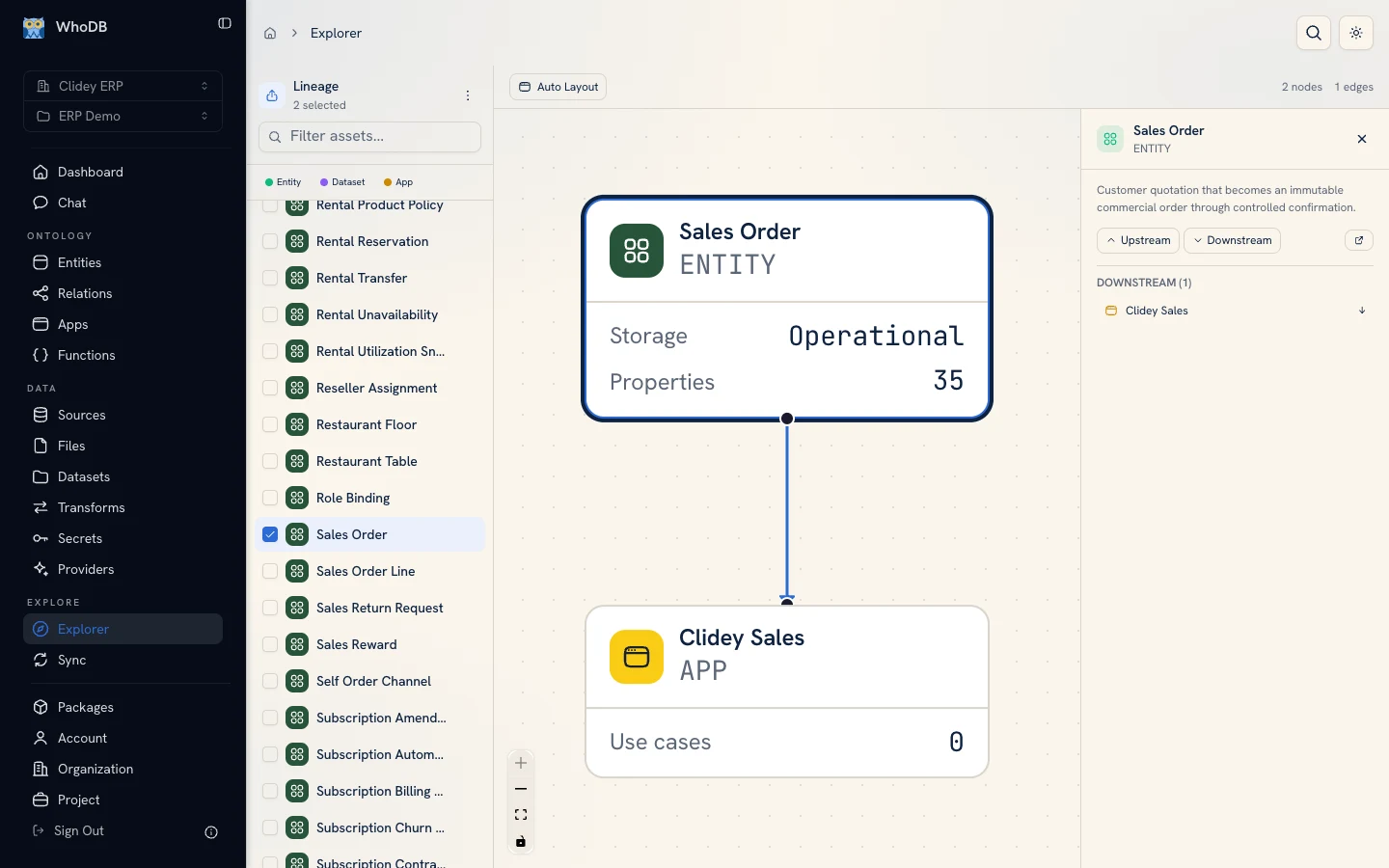
Trace what feeds a dataset and what depends on it, in both directions.
Ask in plain words
The AI agent can inspect a source or explain a workflow, within each person's permissions.
Run it your way
WhoDB Cloud, or a Managed Private deployment inside your own cloud.
- Connectyour sources
- Builddatasets and workflows
- Modelbusiness meaning
- Tracewhat depends on what
WhoDB works outward from the sources you already have.
To see how WhoDB compares with a lakehouse platform, read WhoDB vs Databricks. You can connect supported databases in place, without copying the data first. WhoDB runs fully hosted on WhoDB Cloud, or as a Managed Private deployment inside your own cloud. Read about all features or visit the documentation.
What Matters Most to You?
Compare the total over a year
Add up storage, compute, people and time. Starting with data in place can mean fewer copies to pay for and maintain.
Look at engines you can run yourself
Open-source engines such as ClickHouse and DuckDB give you more say over where data lives.
Look at your provider's own warehouse
BigQuery suits Google Cloud teams and Redshift suits AWS teams. WhoDB can also run as a Managed Private deployment inside your own cloud.
Keep a large warehouse beside WhoDB
If very large-scale analytics is your main job, a platform such as Databricks or Snowflake can stay in the picture. WhoDB brings it into one project with your other sources.
Start with WhoDB
If your data lives in many databases, services and files, WhoDB brings them into one project with shared meaning and lineage.
Moving Anyway? Make It Safe
Sometimes a move is the right call. The hardest part is not the new tool. It is knowing what depends on the old one.
- Mapwhat depends
- Pick onesmall workload
- Copyand compare
- Run bothfor a while
- Switchand retire
A safe move happens in five steps.
Step one is the one teams skip. WhoDB lineage shows what feeds each dataset and what relies on it, so you can move in the right order and keep reports working. Learn more about data lineage.
How to Choose a Snowflake Alternative
0 of 6 done
Proof from Real Teams
Two teams moved critical work out of fragile spreadsheets and into connected, reviewable workflows. Customer details are anonymized.
Manufacturing: a pricing engine you can test
An industrial fabricator replaced brittle spreadsheet logic with a testable function and connected quote records. 45 reference calculations validate the pricing engine.
Retail: allocation plans in minutes
A retail planning team now prepares an allocation plan in 10–15 minutes, down from 3–4 hours. It starts from recommendations based on its own rules, then reviews and approves the result.
Read the stories: pricing workflow and planning workflow.
Snowflake Alternatives and Related Topics
Choosing a warehouse is one part of a data stack. Database management keeps sources in order. Data pipelines move data between them. Data quality checks it, and a data exploration tool helps you look at it.
Snowflake Alternative Terms in Plain English
| Term | What it means |
|---|---|
| Data warehouse | A central place that brings data together for reports and analysis. |
| Data warehousing | The work of collecting, shaping and storing data for analysis. |
| Lakehouse | A platform that mixes a data lake with warehouse features. |
| Operational data | Data from the systems that run the business, such as orders and customers. |
| Vendor lock-in | Being tied to one provider because moving is hard. |
| In place | Working with data where it already lives. |
Snowflake Alternative FAQ
What is the best Snowflake alternative?
There is no single best Snowflake alternative. The right choice depends on your data size, budget, team skills and control needs. Options include BigQuery, Redshift, Databricks, ClickHouse, DuckDB and WhoDB.
What is WhoDB?
WhoDB is a data platform for data warehousing, lineage, pipelines and AI, built by Clidey and backed by Y Combinator. It brings many kinds of sources into one project.
Is WhoDB a Snowflake alternative?
Yes, for teams whose main need is connected data work across the systems they already have. WhoDB brings sources, datasets, visual transforms, business models and lineage into one project, and it starts where your data lives.
Does WhoDB do data warehousing?
Yes. WhoDB brings your sources together in one project, builds datasets with visual transforms, models business meaning and keeps lineage. It also works with the warehouses you already use.
Can WhoDB work with Snowflake?
Yes. WhoDB lets you explore Snowflake schemas, tables and views and run Snowflake SQL. You can keep Snowflake as a source in the same project, or move work away over time.
Should I keep Snowflake or switch?
It depends on your needs. If very large-scale analytics is your main job, you may keep it and add WhoDB beside it. If your needs are connected data work across many systems, WhoDB may cover more of it.
What are open-source alternatives to Snowflake?
ClickHouse and DuckDB are open-source analytical databases, and PostgreSQL is an open-source general-purpose database. Each suits different sizes and workloads.
Why do teams look for a Snowflake alternative?
Common reasons include cost control, keeping data in place, simpler set-up, a wish to run the engine themselves and avoiding dependence on one vendor.
Is BigQuery a good Snowflake alternative?
BigQuery is a cloud data warehouse from Google. It is a common choice for teams already on Google Cloud.
Is Databricks a Snowflake alternative?
Databricks is a platform for data, analytics and AI. Some teams use it instead of a warehouse, and others use it alongside one. WhoDB can sit beside it in the same project.
How hard is it to move from Snowflake?
It depends on how much relies on it. Mapping what depends on each table first makes the move safer. Moving one workload at a time and running both for a while also helps.
How does data lineage help with a migration?
Lineage shows what feeds a dataset and what depends on it. That tells you what to move together and what could break.
Do I have to move my data to use WhoDB?
No. You can connect supported databases in place and work with them without first copying the data into WhoDB.
Warehouse your data without starting from scratch.
Connect your sources and see what WhoDB can do with them where they are.