
01 / 04sources
Connect the estate
Bring sources and files into one project while keeping their origin in view.
The connected data operations platform
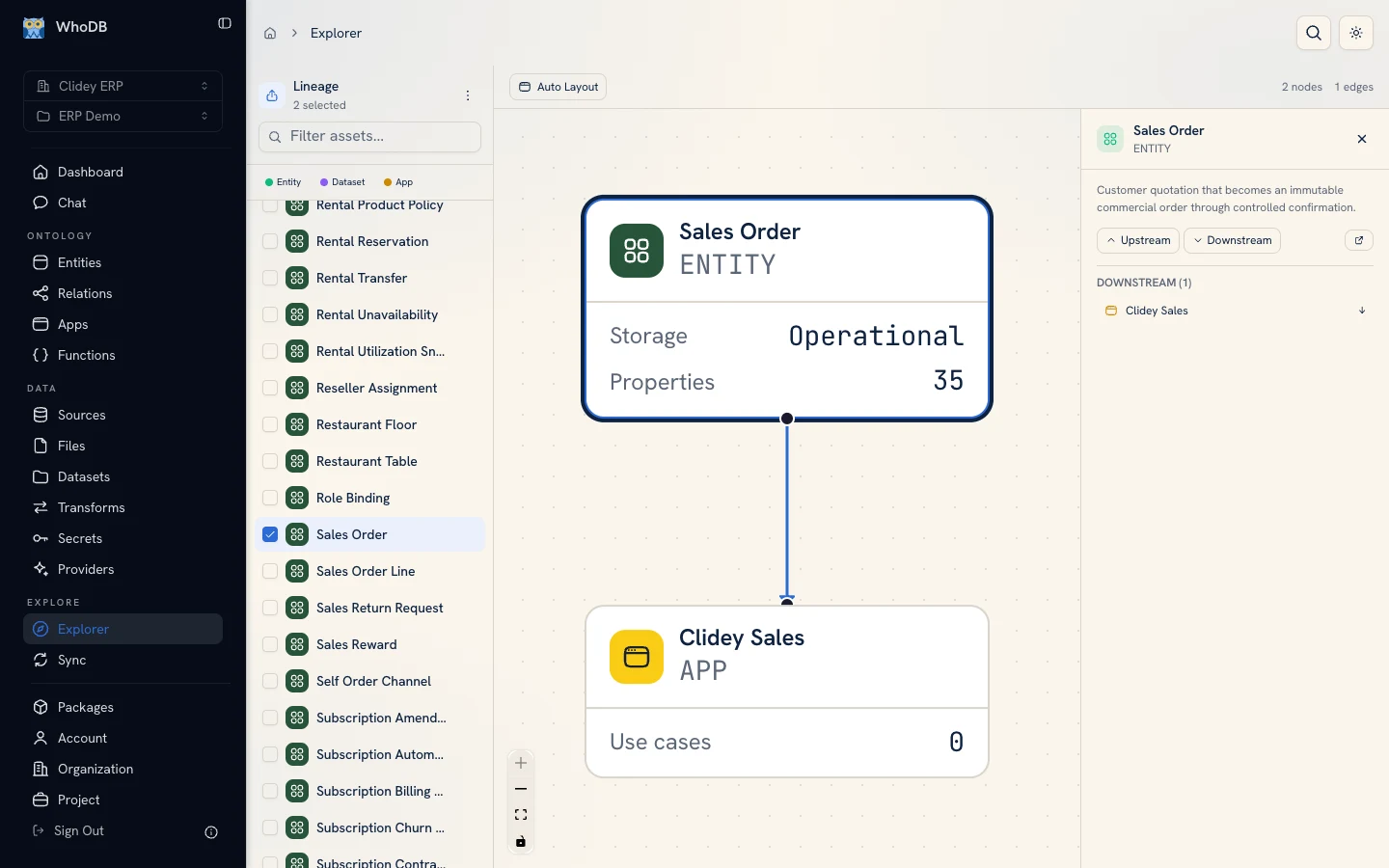
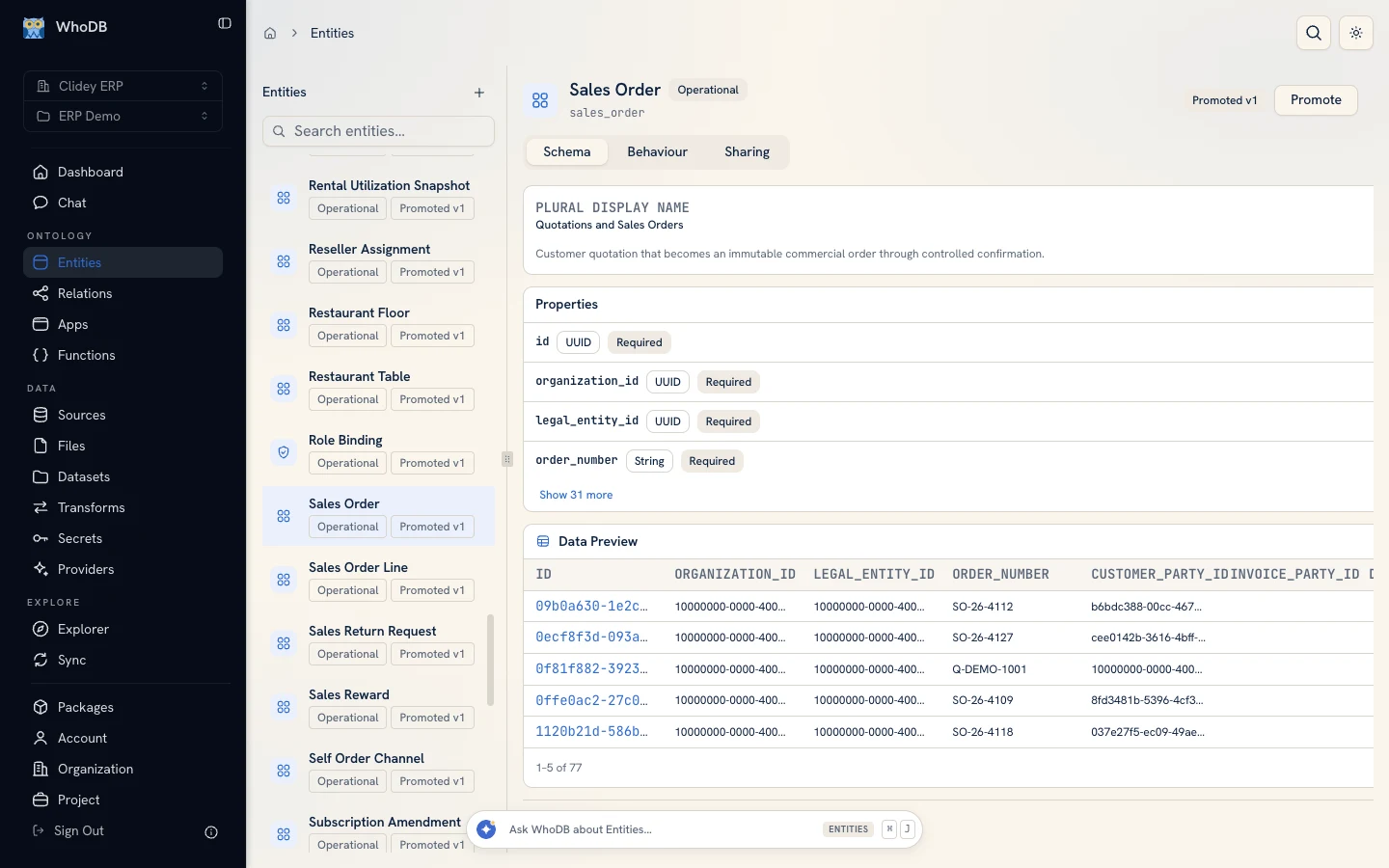
See how shared records become useful work. In the Clidey ERP demo, Sales Order has a defined schema and sample records. Explorer shows the Clidey Sales app that depends on it, so teams can see the connection before making a change.
Available as WhoDB Cloud or a Managed Private deployment.
Built for the work behind decisions
Backed by Y Combinator · S25Built in the openCloud + Managed PrivateOne connected system
Critical work crosses databases, logic, and teams. WhoDB keeps those pieces connected so the path from source to outcome stays visible.
Inside WhoDB
Follow Sales Order through the Clidey ERP demo project, from its schema and synthetic records to the app that uses it. Scroll to see the path.
01 / Define the record
The Sales Order entity shows its schema, required fields, and example records in one place. Teams can inspect the business record behind the application.
02 / Follow the dependency
Explorer connects the Sales Order entity to the Clidey Sales app. The downstream relationship is visible before anyone changes the record it relies on.
03 / Work in an app
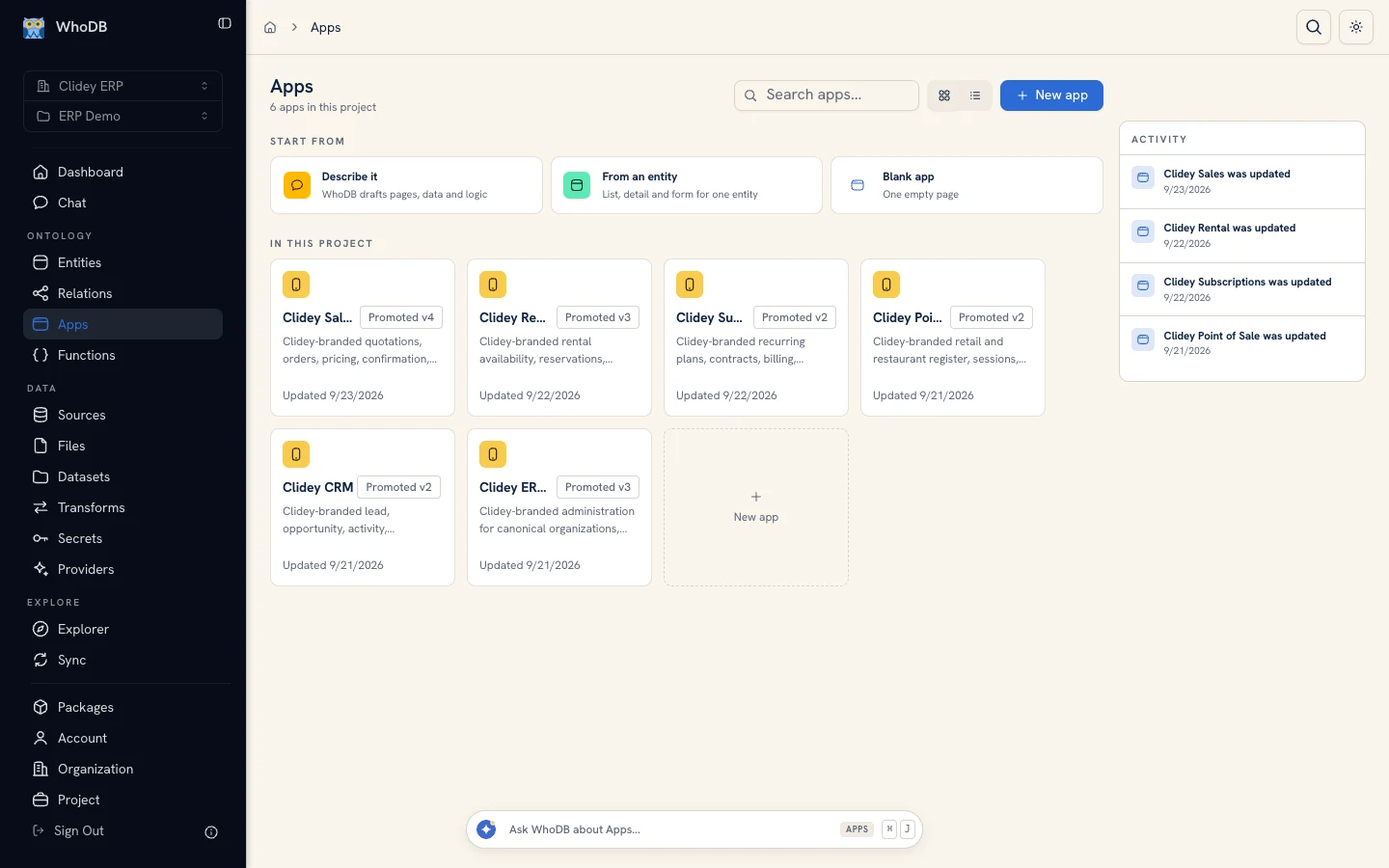
The Clidey ERP project groups six apps for sales, CRM, point of sale, subscriptions, rental, and administration. Teams can open the workflow they need from one project.
Proof from the field
Two teams moved critical work out of fragile spreadsheets and into connected, reviewable workflows. Customer details are anonymized in the published stories.
See how WhoDB supports platform, governance, and operations teams.
Work with us
Show us your architecture and the workflow that matters most. We'll walk through where WhoDB can bring visibility and control.